
Why Offline-First Design Matters for Maintenance Digitization

27 Jul, 2026 · min read
A technician arrives at a remote facility with no cell signal and spotty wifi, carrying a phone loaded with a maintenance app that needs a live connection to load an asset's history or submit a completed work order. The technician does the work anyway, jots notes on paper as a backup, and submits everything once back in range hours or a day later. By the time the data reaches the system, the timestamp is off, any urgent issue the technician flagged arrives late, and the paper backup, the thing that actually worked, is exactly the process the digital system was supposed to replace.
Where This Shows Up
This shows up in any maintenance operation with sites physically remote from reliable connectivity, industrial facilities outside city centers, operations spread across open terrain, warehouses in industrial zones with poor cellular coverage, offshore platforms, rural distribution points. This isn't a rare edge case in asset-heavy industries; remote and distributed sites are often exactly where the highest-value, highest-risk equipment lives. Organizations sometimes evaluate digital tools in an office or a well-connected pilot site, where connectivity issues never surface, and only discover the gap once the tool reaches the sites that actually needed the most help.
What Offline-First Design Actually Means
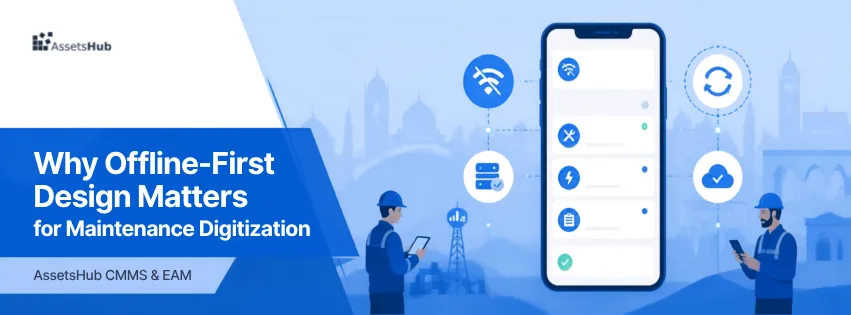
Offline-first design means a system is built to function fully, recording new work, reading existing asset history, capturing photos, completing checklists, without an active internet connection, and to synchronize automatically once connectivity returns. This is different from a system that merely tolerates brief connectivity drops or shows a cached read-only view; offline-first means the core work of the technician, not just a limited fallback mode, works the same with or without a signal. In the context of digital transformation, this matters specifically because a tool that only works online effectively excludes the sites and situations where reliable connectivity can't be assumed, often the same sites carrying the highest operational risk.
Four Things That Determine Whether "Offline" Actually Works
Connectivity as a spectrum, not a binary. Real field connectivity ranges from full signal to zero, with long stretches of intermittent, unreliable connection in between, which is harder to design for than either extreme.
Write operations vs. read operations. A tool might allow viewing cached data offline but block new entries until reconnected, which solves only half the problem, since technicians still need to log work in the moment it happens.
Sync conflict handling. When multiple technicians or systems queue changes offline and reconnect later, the system needs a defined way to resolve conflicting updates to the same record, not just accept whichever syncs first.
Data loss risk at the edge. An app that crashes, or a phone that runs out of storage before syncing, can lose work that was never actually saved anywhere except locally, a different failure mode from a simple connectivity problem.
How Offline-First Actually Works
The technician's device downloads and caches the relevant asset data, checklists, and recent history while still connected, before heading to a low-connectivity site.
In the field, all actions, logging a completed task, uploading a photo, flagging an issue, are saved locally on the device, timestamped at the moment they actually happened.
The app queues these actions locally rather than failing or blocking when there's no connection.
Once the device reconnects, queued actions sync automatically in the background, without requiring the technician to remember to manually resubmit anything.
If two technicians modified the same record while both were offline, the system applies a defined conflict-resolution rule, such as most recent timestamp wins, or flagging the conflict for manual review, rather than silently overwriting one technician's work.
What This Means for Evaluating a Tool
Connectivity should be treated as a design assumption to test explicitly, not a footnote. A tool that works flawlessly in a demo at headquarters says little about whether it will work at the actual remote sites where it matters most. The more useful evaluation question isn't "does it work offline" as a yes-or-no feature checkbox, but specifically what happens to a technician's in-progress work if connectivity drops mid-task, does it save locally and resume, or does the work simply disappear.
Business Impact
Financial. Technician time is lost redoing work that wasn't actually saved, or waiting for a connection to submit something time-sensitive.
Operational. Field issues at exactly the sites where response time matters most, remote or critical equipment, become visible later than they should.
Reliability. If the highest-risk or highest-value assets are disproportionately at low-connectivity sites, a tool that works poorly offline systematically under-serves the assets it should be protecting most.
Safety. A critical issue flagged by a technician at a remote site, stuck in an unsynced queue because the app doesn't handle offline properly, doesn't reach anyone until the technician happens to reconnect, a dangerous delay for a genuinely urgent finding.
Compliance. Records generated after the fact, backfilled once connectivity returns, or reconstructed from memory, are weaker evidence than a true real-time record, even if the eventual data looks complete.
A Representative Example
The following is an illustrative, representative scenario, not a specific customer case.
A logistics company operating a distribution hub roughly ninety minutes outside the nearest city center rolled out a maintenance app that had been evaluated and approved entirely at headquarters, where connectivity was never an issue. At the hub itself, cellular coverage was intermittent, strong near the main office, weak to nonexistent across most of the yard and warehouse floor, where the actual equipment lived.
Technicians initially tried using the app as intended, but any attempt to open an asset's history or submit a completed checklist while out on the floor either failed outright or hung indefinitely waiting for a connection. Within weeks, most technicians reverted to carrying a paper notepad for the actual work and only opened the app once back near the office, sometimes hours after the work was done, reintroducing exactly the delay and secondhand data entry the tool was meant to eliminate.
The company hadn't tested the app under the connectivity conditions of the site it was actually deployed to. Once it replaced the tool with one built to cache data locally and sync automatically on reconnection, technicians could log work in real time on the warehouse floor regardless of signal, and the paper notepad stopped being necessary.
Common Challenges and How to Overcome Them
Tools evaluated only in well-connected environments. Explicitly test any candidate tool at the actual lowest-connectivity site in the rollout plan, not just at headquarters or an easy pilot location.
"Offline mode" that means read-only, not full functionality. Specifically verify that new work, logging tasks, photos, checklist completion, can be created and saved offline, not just that existing data can be viewed offline.
Sync conflicts when multiple technicians work offline on the same asset. Confirm the tool has an explicit, understandable conflict-resolution rule, not an undocumented "last write wins" behavior that can silently lose someone's work.
Local data loss risk before sync happens. Choose tools that persist data reliably to local storage immediately upon entry, not just in temporary memory a crash could wipe.
Technicians who don't trust offline mode after a bad experience. Once offline reliability is proven, explicitly retire the paper backup process rather than letting it persist indefinitely as an informal insurance policy that undermines full adoption.
Where This Has to Be Core Architecture, Not an Add-On
Offline capability isn't something that can be added as an afterthought to a system built around a constant connection, it has to be part of the core architecture from the start, covering both reading and writing data, with a clear approach to sync conflicts.
AssetsHub is built with offline-first mobile access, allowing technicians to view asset history, complete checklists, log work orders, and capture photos without an active connection, with all actions saved locally and synced automatically once connectivity returns. Conflict handling is built in for cases where the same record is updated by more than one technician while offline, so reconnection doesn't silently overwrite anyone's work.
Rolling Out to Low-Connectivity Sites in Practice
Rolling out maintenance digitization to a low-connectivity site typically follows a sequence like this with AssetsHub:
Sync the relevant asset data, checklists, and recent history to technician devices while still connected, before they head to the low-connectivity site.
Technicians log completed work, capture photos, and update checklists locally as they work, with no interruption from lack of signal.
The app queues these actions automatically, without requiring the technician to remember to retry or manually resubmit anything.
Once a device reconnects, back at the office, near a stronger signal point on-site, or at the end of a shift, queued actions sync automatically in the background.
Any conflicting updates to the same record are flagged or resolved according to a defined rule, so managers can trust that what's in the system reflects what actually happened in the field, in the order it happened.
FAQ
How do we know if a tool is genuinely offline-first, or just tolerant of brief drops?
Test it at the actual low-connectivity site, not headquarters. Specifically try creating new work orders, completing checklists, and uploading photos with the device in airplane mode. If any of those actions fail, queue silently without confirmation, or require a connection to even open the relevant screen, the tool isn't genuinely offline-first regardless of what the product description claims.
What happens if two technicians edit the same asset record while both are offline?
This depends entirely on how the system is built. A well-designed offline-first tool applies an explicit conflict-resolution rule, such as flagging simultaneous edits for review or merging non-overlapping changes, rather than silently letting one technician's update overwrite the other's without anyone knowing it happened.
Is offline-first only relevant for very remote sites, like desert or offshore locations?
No. Intermittent connectivity, strong in one part of a building, weak in a basement or behind heavy machinery, is common even at sites technically within full network coverage. Offline-first design helps in both scenarios, since the underlying requirement is the same: work shouldn't stop because of a signal gap, however brief or localized.
Can we just keep a paper backup process alongside the app for low-connectivity situations?
You can as a temporary measure, but a permanent parallel paper process defeats much of the purpose, it reintroduces the delay and secondhand data entry digitization was meant to remove. Once offline reliability is proven, it's worth deliberately retiring the paper backup rather than letting it persist indefinitely out of habit.
Does offline-first design slow down the app when there is a connection?
Not inherently. A well-built offline-first system typically feels faster in normal use, since most actions save instantly to the device rather than waiting on a network round-trip, then sync in the background. The offline capability is usually an improvement to everyday responsiveness, not just a fallback for bad connectivity.
Conclusion
Connectivity gaps aren't an edge case in maintenance operations, they're common at exactly the remote, distributed, or structurally shielded sites where the highest-value and highest-risk equipment often lives. A tool that works well in a well-connected office or pilot site can still fail the technicians who need it most, simply because no one tested it under real field conditions.
The practical takeaway is to treat offline capability as a core requirement to test explicitly, not a feature to take on faith. Verify that a tool can create and save new work locally, not just read cached data, confirm how it handles conflicting updates once multiple devices reconnect, and only retire manual backup processes once offline reliability has actually been proven in the field, not assumed from a product description.