
What Actually Breaks During a Legacy-to-Digital Data Migration

27 Jul, 2026 · min read
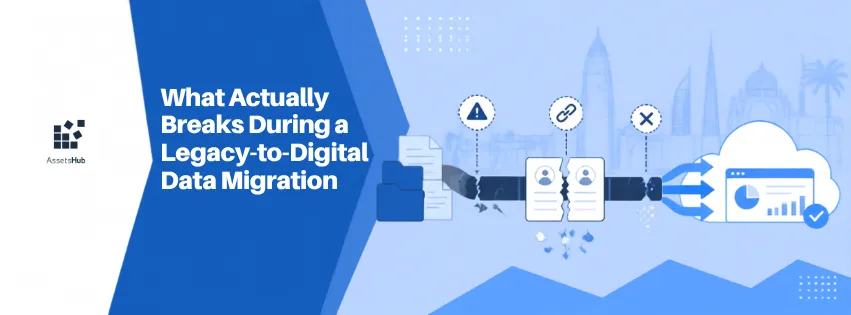
A migration project looks straightforward on paper: export the old data, import it into the new system, done. The team schedules a weekend for the cutover and expects Monday morning to bring a clean, fully populated new system. Instead, Monday morning brings duplicate assets, work orders attached to the wrong equipment, technician names that don't match user accounts, and a preventive maintenance schedule that's technically present but calculated against the wrong baseline dates. Nothing about the migration failed in one obvious way, dozens of small structural mismatches surfaced instead, each requiring individual investigation, and the team spends the following weeks doing by hand what the migration was supposed to have automated.
Where This Shows Up
This shows up in any maintenance operation moving from a legacy system, paper, spreadsheets, or an older or different software platform, to a new digital system, especially one accumulated over years or decades. Organizations plan for the visible parts of a migration: choosing the new platform, training staff, setting a go-live date. The actual difficulty concentrates in a part that's far less visible from the outside, translating years of inconsistently structured historical data into a coherent, correctly linked dataset. This isn't primarily a matter of technical competence; it's an inherent property of legacy data, which was captured under whatever rules, or lack of rules, existed at the time, by different people, often changing over the years the source system was in use.
What Migration Actually Requires
Data migration is the process of moving an organization's existing records, assets, work orders, technician assignments, parts inventory, maintenance history, from a legacy system into a new one, while preserving the meaning and relationships between that data, not just the raw values. The central technical challenge isn't transferring data; it's preserving referential integrity, making sure a work order still correctly links to the right asset, a technician record still correctly links to the right person, and historical dates and statuses still mean what they meant in the original system. A migration that moves every row of data but breaks these relationships hasn't actually succeeded, even if a count of records looks correct. This is one of the concrete technical costs of digital transformation that's easy to underestimate when planning focuses mainly on selecting a platform rather than on the data itself.
Five Structural Sources of Migration Problems
Inconsistent identifiers across time. An asset might have been referred to by different names, codes, or IDs at different points in its history, especially if it changed sites, was renamed, or the source system itself changed years ago. Migration has to decide which identifier is authoritative and reconcile the rest.
Implicit relationships that were never formally modeled. A paper or spreadsheet system often has relationships that exist only in someone's understanding, this technician always handled this equipment type, rather than as explicit, structured links a migration script can read and transfer.
Schema mismatches between old and new systems. The legacy system's categories, statuses, and fields rarely map one-to-one onto the new system's structure. A status like "pending" in the old system might correspond to two or three different statuses in the new one, depending on context that isn't recorded anywhere.
Data quality debt accumulated over years. Duplicate entries, inconsistent naming, missing dates, and long-abandoned fields that were never cleaned up in the old system don't disappear during migration, they get carried forward, and often become more visible, not less, once surfaced in a more structured system.
Historical date and timezone handling. Preventive maintenance schedules, warranty periods, and audit trails depend on dates being interpreted consistently, and legacy systems built or modified over years sometimes have inconsistent date formats or assumptions baked in silently.
What a Migration Project Actually Involves
Extract the raw data from the legacy system, export files, database dumps, or, in many maintenance operations, a combination of spreadsheets and scanned paper records that were never in a single system at all.
Map the legacy schema to the new system's schema, deciding explicitly how each old field, category, and status translates, a step that requires someone who understands both systems, not just a technical export-import process.
Clean and reconcile the data before it moves, resolving duplicate assets, filling identifiable gaps, and deciding how to handle records that can't be confidently reconciled.
Run the migration, ideally into a staging or test environment first, rather than directly into the live system.
Validate the migrated data against the source, not just checking that record counts match, but spot-checking that specific assets' histories, relationships, and schedules are actually correct.
Reconcile any discrepancies found during validation before the live cutover, rather than discovering them after staff are already depending on the new system.
What This Means in Practice
A migration's difficulty scales with the age and inconsistency of the legacy data, not primarily with the sophistication of the new platform. A ten-year-old spreadsheet-based operation with three different naming conventions accumulated across different managers is a harder migration than a two-year-old operation on a single, consistently maintained system, even if the destination platform is identical in both cases. The practical implication is that migration planning should start by auditing the actual state of the legacy data, rather than assuming the new platform's import tools will handle whatever exists.
Business Impact
Financial. Unplanned migration remediation work, fixing broken links, cleaning duplicate records, after go-live costs more in staff time than the same work done deliberately before cutover.
Operational. A new system populated with broken relationships is often less useful than the old system was, at least temporarily, undermining confidence in the transition right when adoption matters most.
Reliability. Incorrect or missing historical data corrupts any preventive maintenance scheduling or asset lifecycle analysis built on top of it, since the new system's intelligence is only as good as the migrated history feeding it.
Compliance. An audit trail is only as trustworthy as the migration that produced it, if historical dates or attributions were altered or lost during migration, that undermines exactly the evidentiary value at stake in regulatory and insurance contexts.
Safety. If safety-critical asset history, inspection dates, known defect records, is mislinked or lost during migration, that gap can persist invisibly until it matters.
A Representative Example
The following is an illustrative, representative scenario, not a specific customer case.
A manufacturing operation migrating fifteen years of maintenance records from a legacy system to a new platform discovered, partway through validation, that a significant share of its historical work orders referenced assets using an internal code that had been reassigned at least once over the years, the same code had, at different points, referred to two entirely different pieces of equipment, as older units were decommissioned and newer ones took over their identifiers.
The migration's initial pass had linked all work orders under a given code to whichever asset currently held that code in the new system, which meant a portion of the historical maintenance record for currently active equipment actually belonged to machines that had been retired years earlier. The error wasn't visible in any summary count, the number of migrated work orders matched the source system exactly, and only surfaced when a maintenance engineer noticed a repair history that didn't match what she remembered servicing on a specific machine.
Resolving it required manually cross-referencing decommissioning records against the timeline of code reassignments to correctly split the work order history between the retired and current equipment, work that took several weeks and could only be done by someone with direct institutional knowledge of when the equipment changes had happened, information that existed nowhere in the data itself.
Common Challenges and How to Overcome Them
Legacy identifiers were reused or changed meaning over time. Audit identifier history specifically before migration, not just current-state identifiers, and don't assume a code has always meant the same thing.
Implicit relationships were never formally recorded. Interview long-tenured staff specifically to capture relationships and conventions that exist only in institutional knowledge, before that knowledge is needed to fix a migration problem after the fact.
Schema mismatches between old categories or statuses and new ones. Build an explicit field-by-field and status-by-status mapping document before migration, reviewed by someone who understands both systems, rather than relying on an automated import tool's default guesses.
Accumulated data quality debt. Run a data-quality audit and cleanup pass on the legacy data before migration, treating this as a distinct project phase rather than something the migration tool will handle.
Date and timezone inconsistencies across merged systems or branches. Explicitly verify date format assumptions per data source, especially where a legacy system was used across different teams, branches, or time periods with different conventions.
Where Structured Validation Closes the Gap
A migration is only as reliable as the process used to validate it, and a platform's import tools alone can't resolve the underlying inconsistencies in a decades-old dataset, that requires structured validation before and after the move, not just a technical transfer.
AssetsHub's onboarding process includes structured data validation as a distinct step from data transfer, cross-checking migrated assets, work order histories, and relationships against the source data before go-live, specifically to catch the kind of referential mismatches, duplicate records, and date inconsistencies described above, rather than surfacing them only after staff start relying on the new system.
Structuring a Migration to Catch Issues Before Go-Live
A migration project structured to catch these issues before go-live typically follows this sequence with AssetsHub:
Export and review the legacy data first, specifically auditing for identifier reuse, inconsistent date formats, and known data quality issues, rather than assuming the source data is clean.
Build an explicit mapping between legacy fields, categories, and statuses and their equivalents in AssetsHub, resolving ambiguous cases with input from staff who understand the historical context.
Run the migration into a staging environment first, rather than directly into the live system used by technicians.
Validate a sample of migrated records against the original source in detail, not just record counts, but specific asset histories, relationships, and preventive maintenance schedules.
Resolve discrepancies found during validation, and only move to a live cutover once spot-checks confirm the migrated data accurately reflects the source.
FAQ
How long does a typical legacy data migration take for a maintenance operation?
This depends far more on the age and consistency of the legacy data than on the size of the new platform's implementation. A well-organized, digitally-maintained legacy system with a few years of history can migrate in days. A decades-old mix of paper, spreadsheets, and inconsistent record-keeping across different eras of an organization can take weeks to properly validate, even if the technical data transfer itself is fast.
Can we just import everything and clean it up afterward in the new system?
You can, but it's usually more expensive than it looks, since cleanup after go-live competes with everyday work and staff are simultaneously learning the new system while trying to identify what's actually wrong with the migrated data. Resolving major inconsistencies before cutover, even if it delays go-live slightly, is generally less disruptive than fixing them under live operational pressure.
How do we know if our legacy data has referential integrity problems before we even start migrating?
Look specifically for identifiers that may have been reused or reassigned over the system's history, and check whether relationships between records, like which technician handled which asset type, are explicitly recorded or only understood informally by long-tenured staff. Both are common sources of migration problems that aren't visible from a simple record count.
Does a smaller legacy dataset mean an easier migration?
Not necessarily. Size matters less than consistency. A small dataset accumulated inconsistently over many years, across different systems or conventions, can be harder to migrate correctly than a larger dataset that was maintained consistently the whole time.
What's the biggest sign that a migration went wrong, even if the record counts look correct?
Specific historical details not matching what long-tenured staff remember, a repair history that seems attributed to the wrong equipment, a preventive maintenance schedule with dates that don't make sense, or relationships between technicians and assets that look off. Record counts matching the source is a weak signal on its own; institutional memory catching a specific discrepancy is usually the first real warning sign.
Conclusion
Migration failures rarely look like an obvious, single break, they look like dozens of small structural mismatches that surface individually over the weeks following go-live, each requiring investigation. The underlying cause is almost always the same: legacy data carries years of inconsistency, reused identifiers, and implicit relationships that were never formally recorded, and no import tool can resolve that on its own.
The practical takeaway is to treat data validation as a distinct, deliberate phase of any migration project, not an afterthought to the technical transfer. Audit the legacy data's actual consistency before migrating, build explicit mappings rather than relying on default assumptions, and validate specific record details against institutional memory, not just record counts, before treating the migration as complete.